
The Short Answer
An Amazon ungating application is usually denied because the file is missing something Amazon asked for, the brand value is not really a brand name, or the account itself does not qualify. A first decline is normal.
The one decline no better file can fix is "Your account does not qualify". Amazon's own page says this decision cannot be appealed. For that brand, the route left is an account that already holds the approval, which is what our aged Amazon seller accounts page is for.
Why Was My Amazon Ungating Application Denied?
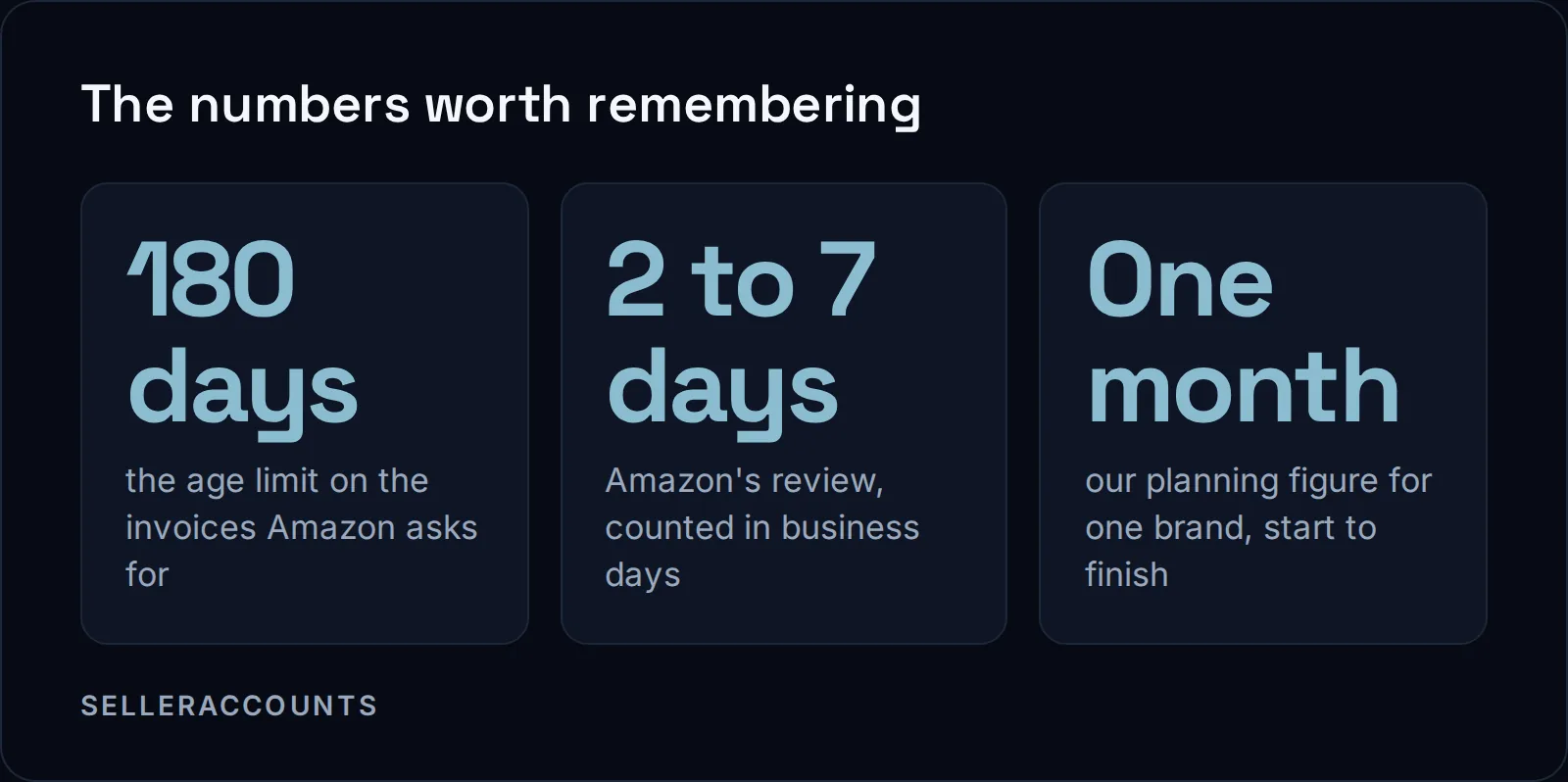
Amazon denies an ungating application when what you sent does not match what it asked for. Its checklist names purchase invoices dated within 180 days, photos showing all sides, brand authorization letters where applicable, and for some categories safety certifications or liability insurance.
That checklist sits on Amazon's categories and products that require approval page. Amazon says why the gate exists at all: "You need approval to ensure products sold in our store are safe, authentic, and meet regulations." The same page lists the categories that need approval, and how to check if a brand is gated on your Amazon account shows how to test your own.
Amazon's page does not give the wording of each denial type beyond the "does not qualify" line.
| Our reading of the decline | What it points to | Can you file again? |
|---|---|---|
| Invoice older than 180 days | The date window on Amazon's checklist | Yes, with a newer invoice |
| Photos that do not show all sides | The photo line on the checklist | Yes, with new photos |
| No authorization letter where one applies | The brand owner's permission is missing | Yes, once you have the letter |
| No safety certification or insurance in a category that needs it | A category rule, not a brand rule | Yes, once the document exists |
| A brand value that is a product type or model number | The brand name rule | Yes, with the real brand name |
| "Your account does not qualify" | The account, not the file | No. Amazon says it cannot be appealed |
Two causes catch people who did everything else right.
The first is the brand value. Amazon is blunt about it on its brand name page:
"If the brand name is a product type, product description, model number, or anything else besides a brand name, your application will be declined."
For brand name approval, Amazon asks for brand name information, product images with branding, and inventory details if applicable.
The second is the account's own numbers. Some categories look at performance before they look at the file. On jewelry, Amazon lists a cancellation rate of 2.5% or less among its criteria, and says: "If your account does not meet the minimum criteria, your Fine Jewelry application will be rejected." No invoice fixes that.
How Do You Tell Which Problem You Hit?
Four checks, in order, tell you whether the gate, the file or the account caused the decline.
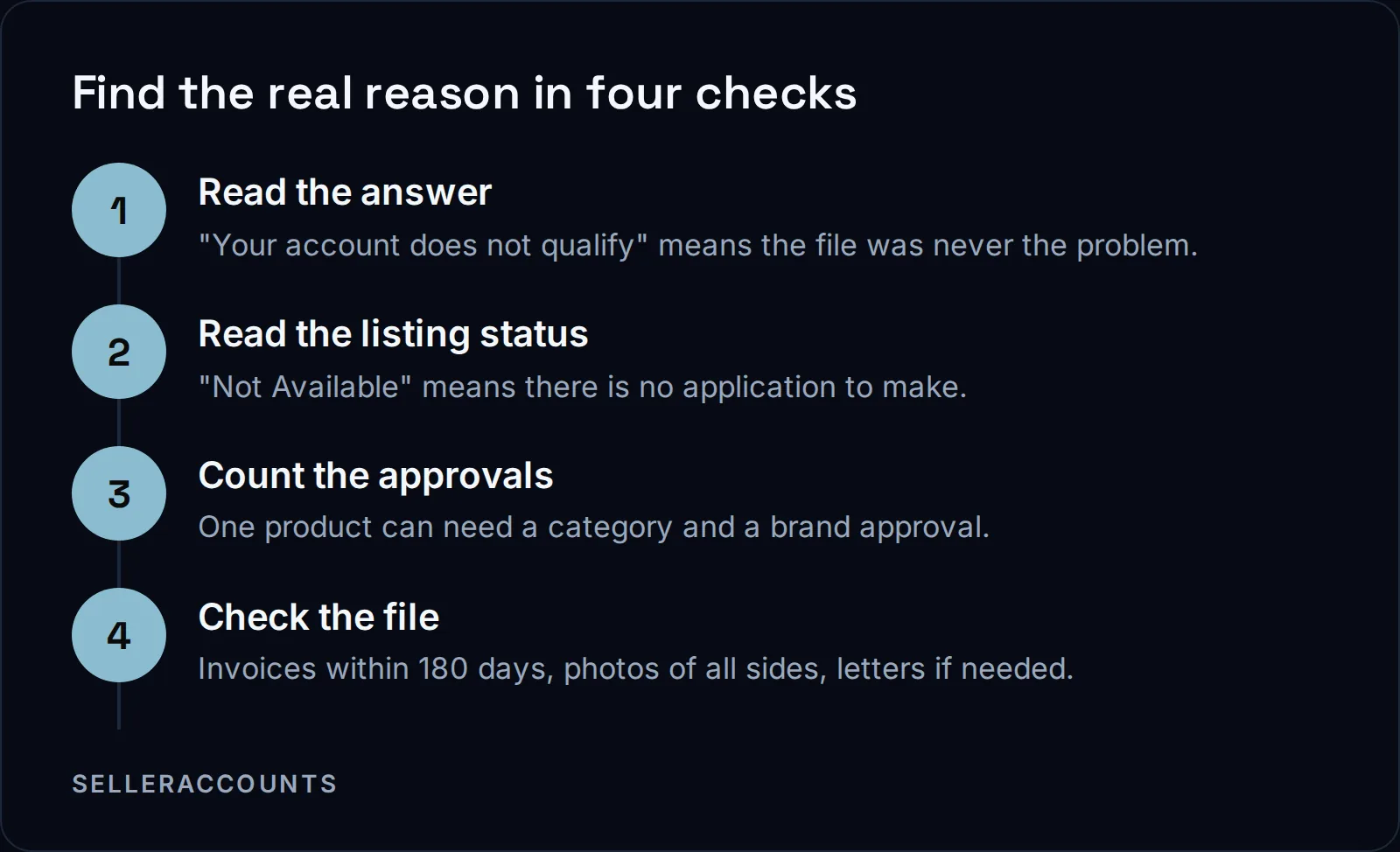
Amazon says "Some products require multiple approvals." Its own example: selling Nike shoes needs both Shoes category approval and Nike brand approval. So a brand approval that keeps failing may be a category gate sitting behind it, and the brand file was never the issue.
Before we file any brand, we also confirm that Amazon is taking applications for that brand, that there is an open product listing to apply against, and that the invoice is in the name of the company registered on the account. Without an open listing, the application cannot go in.
Then there is gating that moves. Amazon's approval FAQ warns: "Even if you were selling your product before, you may be subject to new restrictions". A brand you listed last year can close on you this year.
Should You Keep Resubmitting the Same Application?
Not the same one. Refile only after you change the thing that caused the decline. Amazon's approval page does not publish a cap on attempts or say whether repeat filings count against you, so we treat every round as costly and fix first.
Here is the line we give every client before the first application goes in:
"A first decline is normal. Plan on one month for one brand. We keep working the application inside that window, and it is often done sooner."
That month is our planning figure, not a date Amazon publishes. Amazon's own review step is shorter: its page says to wait 2 to 7 business days. Where that time goes is laid out in how long Amazon ungating takes.
Is There an Ungating Appeal on Amazon?
Not for the decline that matters most. If Amazon answers "Your account does not qualify", its page says the decision cannot be appealed and that Selling Partner Support cannot provide additional details. For other declines, Amazon's page describes no appeal step at all; what it describes is preparing the file and applying.
So an ungating appeal on Amazon, in practice, is a corrected application. There is no letter that argues your way past a missing invoice. Fix the document the decline points to, then file again.
Invoice or Authorization Letter: Which Does Amazon Want?
Both, in different cases. Amazon's checklist asks for purchase invoices dated within 180 days, and for brand authorization letters "if applicable", meaning only where the brand needs one. It does not spell out which brands need a letter. Its letter of authorization page lists the formats it accepts, such as letterhead from the company holding rights to the protected brand.
The formats on Amazon's letter of authorization page:
- PDF documents, or scanned images of a PDF
- Word documents, where a self declaration only counts if you are the intellectual property owner
- Screenshots of email from the domain of the company holding rights to the protected brand
- Letterhead from the company holding rights to the protected brand
On invoices, Amazon's page gives the 180-day window and nothing more. It does not publish the fields an invoice must show, a minimum quantity, or the supplier credentials it checks.
When Should You Stop Retrying a Brand?
Stop when the answer is "Your account does not qualify", since no better file changes that answer. Stop when there is no open listing to apply against. Otherwise we work the brand inside our one-month planning window, changing the cause before each round.
When none of those rounds opens the brand, the other route is an account that already holds it.
Fix It Again, or Start on an Account That Already Has It
There are two ways past a brand that keeps declining. The slow way is to keep fixing the file on your own account. The other way is an aged account whose record already shows that brand open, so there is no application left to file.
| Refile on your own account | Buy an aged account that holds it | |
|---|---|---|
| The application | You file, wait, fix and file again | Nothing to file for a brand already open |
| What you know before spending | Only what the last decline told you | The brands you care about, checked against the real account on a live demo |
| How long until you can list | Our planning figure is one month per brand | 10 to 14 business days standard; about half of transfers draw an extra Amazon verification and run 30 to 60 days |
| Hard programs | Seller Fulfilled Prime alone needs a pre-qualification, then a 4-week trial | Hazmat, Seller Fulfilled Prime or Renewed only where that account's record carries it |
An aged account is already ungated, often for dozens of brands, shown live before you buy. That is not a promise about every account. Age alone does not open a brand; what matters is the approvals the account already earned. So send us the brands or product codes you need, and we check them against the account and come back with a result for each one.
On top of what the account already holds, every account we sell comes with three brand approvals, apply to sell only, each named in the Deal Agreement. If one of those is still gated at delivery, we keep working on it, and the 30 day clock runs from delivery: a replacement account, then a refund, if it is not open by day 30. We cannot open human digestibles, meaning supplements and anything else a person swallows, so we never promise one.
How the deal runs: you sign a mutual Deal Agreement before any money moves, then pay upfront to a named company by wire, ACH, card or crypto. Card carries 3 percent on US cards and 4.5 percent on non-US cards. Support runs 30 days from delivery or until your first sale, whichever comes first. Starting prices are on how much an aged Amazon account costs, and every step is on how buying works.
FAQ
Why was my category approval denied when my invoices were fine?
Invoices are one line on Amazon's checklist, not the whole file. Grocery and gourmet foods, luggage, medical devices, and shoes, handbags and sunglasses are among the categories Amazon names as commonly restricted, and a category can add its own documents or account criteria on top of the invoice.
Does getting rejected again hurt my account?
Amazon's approval page does not say. Because it is silent, we never send the same file twice.
My brand was approved. Why can I still not list it?
Amazon's brand name page says it may take up to 24 hours after a brand name is approved before you can create listings with it. If the 5665 error is still there after 24 hours, Amazon says to contact it.
Will an aged account be ungated for the brand I was denied?
Only if that account's record shows the brand open, and we check before you buy. Send us the brand list and we test it against the real account. Three apply-to-sell approvals come with every account, each named in your Deal Agreement.
Related pages
Ready to Grow Your Amazon Business?
Book a free demo call and we'll screen-share real accounts live to find the right match for your business. No screenshots, no guesswork.
Book Your Demo