

The Short Answer
If you are setting up an Amazon seller account and the address verification postcard has not come, open the address verification step in Seller Central, use the option it shows you, and check that your address matches your documents exactly. Amazon's verification page gives no postcard delivery time and no resend steps, so your own screen is the guide. On an aged account bought from us, we run the verification in the transfer and send you a status update every business day.
What Should You Do When the Postcard Never Arrives?
Open the address verification step in Seller Central and read every option it shows. Amazon says the page displays options customized to your business type and the country, state or region your business is in, so your own screen is the guide. Then check your address against your documents, and upload one that matches if a document option appears.
Before you use any option for another code, check that mail actually reaches the mailbox at your registered address, and that the address matches the documents you would upload.
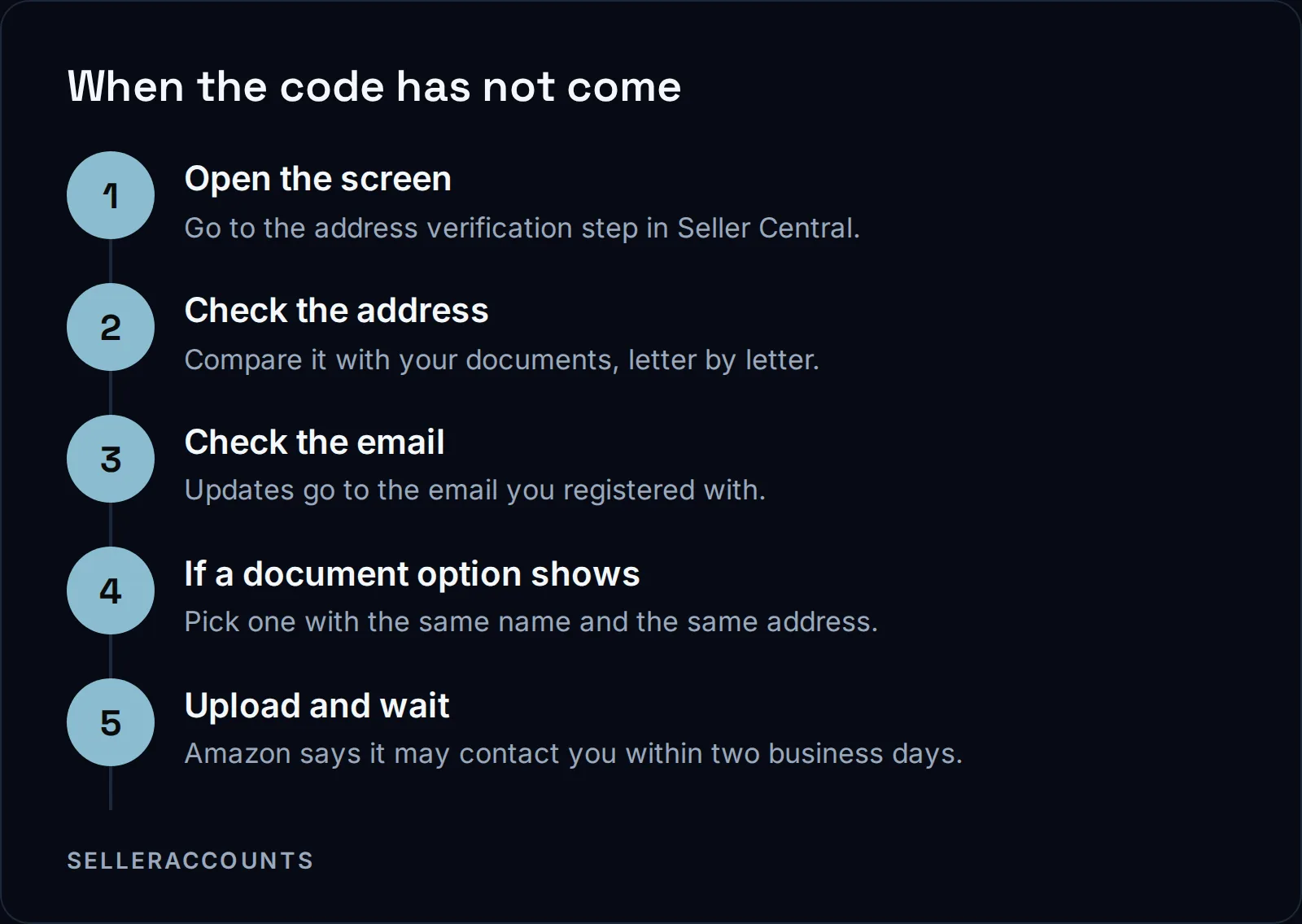
Once you upload, Amazon's page says this happens next:
"Once you upload all necessary documents and information, Seller Central will display a confirmation message. You can close the tab in your browser. We’ll review your information and might contact you for further clarification, if needed, within two business days. We’ll also keep you informed via an email to the address that you provided during registration."
So the email address on the account matters as much as the street address. If it is an old inbox nobody reads, fix that before you upload anything.
What Does Amazon's Verification Page Say About Address Checks?
Amazon checks the address to confirm that the business and address information you registered is legitimate. Its global verification page lists Address verification as one of four steps, next to Identity, Beneficial owner and Business verification. The parts of that page we checked do not mention a postcard, a mailed code, a delivery time or a resend button.
The page is Global seller identity, address, and business verification. Here is why Amazon checks the address at all, word for word:
"We must verify the identity of the legal representative or beneficial owner registering the account, and the legitimacy of the business and address information."
A beneficial owner is a person who owns or controls the business behind the account.
Which Documents Does Amazon's Verification Page List?
For professional sellers, Amazon's global verification page lists a bank statement for a checking, savings or loan account, a credit card or payment provider statement, a utility bill, a rent or lease agreement, a credit union statement, a mortgage statement, a council tenancy bill, a tax document containing the address, or a business license.
The same page says business documents must be issued within the past 180 days. Here is the list as a desk checklist:
| Document on Amazon's list | What to check before you upload |
|---|---|
| Bank statement (checking, savings or loan) | Same business name and address as Seller Central |
| Credit card or payment provider statement | The address printed on it is the registered one |
| Utility bill (gas, water, power, internet, phone) | Issued within the past 180 days |
| Rent or lease agreement | Clearly shows your name and address |
| Mortgage or credit union statement | Same address format as your registration |
| Tax identity document containing address | The address is current, not a previous one |
| Business license or business extract | An electronic copy is accepted, per Amazon |
When a statement is the document you use, our bank statement guide covers what gets one sent back. The full registration list is in our verification documents checklist.
Why Does an Address Fail to Match?
An address fails when your proof of address differs from your Seller Central registration. Amazon's Seller Wallet verification page, which covers its Seller Wallet product rather than registration, says a proof of address must be issued within the past 180 days, clearly display your name and address, and match your Seller Central account information. Any difference can send it back.
Here is the line on a mismatch from that Seller Wallet page, word for word:
"If the address on your document doesn’t match the address in Seller Central, you must submit an updated proof of address that exactly matches your registered details."
Exactly is the word to plan around. Fix the registration or get a document that matches it. Do not upload the same mismatch twice and hope.
Resends, PO Boxes and Other Gaps in Amazon's Page
Amazon's page also does not say how many times you can ask for another code, how long to wait between requests, what a "sent" or "delivered" status means when nothing arrived, or what happens after the last attempt. Nor does it say whether a PO box, a virtual office, a coworking desk, an apartment or a mail forwarding address can pass address verification.
Read the Global seller identity, address, and business verification page for your country first.
What Amazon does publish is the cost of leaving it unfinished. Its About the INFORM Consumers Act page says Amazon will contact you for more information if it cannot verify you, and that an account can be deactivated when the required verification or certification is never completed. Amazon's page says the account will be reinstated 48 to 72 hours after both verification and certification are done, through "Reactivate your account" at the top of the Account health page. The INFORM Consumers Act is the US law, in force since June 27, 2023, that makes Amazon verify its high-volume sellers.
How We Work a Stuck Verification on a Transfer
Verification is the part of an Amazon transfer we run by hand. About half of our Amazon transfers get an extra verification request from Amazon, and those take 30 to 60 days instead of the standard 10 to 14 business days. If Amazon mails an address verification code during the transfer, you forward the code to us when it arrives. When a step stalls or bounces, there is a sequence we follow.
1 in 2
Amazon transfers that get an extra verification request
10 to 14 days
standard Amazon handover, in business days
30 to 60 days
when Amazon asks for extra verification
When Amazon keeps sending documents back, sometimes with no reason given, this is the sequence:
1. One document, two steps. We normally advise a recent bank statement. We submit it at the bank verification step first. If Amazon accepts it there, the same document goes to identity verification.
2. We submit for you. If it still bounces and you have not changed the access on the account, we log in and submit the documents ourselves.
3. Seller Support. If it bounces after that, our team calls Amazon Seller Support about the identity verification step and reports the case numbers back to you. Your named point of contact calls only if Amazon insists, and we prepare that call with them.
4. Fuller company papers. When identity, registration and address proof are all rejected with no reason, we ask for formation documents showing the registered company name, registered business address and company registration number.
Details sometimes revert to the old information after a verification step: the details you changed show their old values again in Seller Central. On a transfer, send us a screenshot and we check it from our side and update whatever is still pending.
Should You Keep Waiting or Start on an Aged Account?
Keep waiting if a new account is what you want: finishing verification gets you an account with no history and no approvals. Start on an aged account if you need history and approvals now. Verification still happens either way, because an aged account must pass Amazon's checks in your company's name when it changes hands; we run that work.
| Finishing verification on a new account | Taking over an aged account from us | |
|---|---|---|
| Verification | Yours to run and to chase | Still required, run by us in your company's name |
| Progress updates | Your own Seller Central screen | A status update every business day |
| Brand approvals | None until you apply | Three apply to sell approvals named in the Deal Agreement, plus any the account's record already shows |
| Hard programs (Hazmat, Seller Fulfilled Prime, Renewed) | Qualify from zero | Named only where that account's record carries them |
| After delivery | On your own | Support until 30 days after delivery or your first sale, whichever comes first |
The Deal Agreement is the contract you sign with us before any money moves. Our support window after delivery covers verification re-submissions, so a check Amazon reopens in that window is still ours to work. An aged account often already holds brand approvals of its own, shown live on the demo before you buy.
The whole path is on how buying works, and the accounts are on aged Amazon accounts for sale. For starting prices, see the price page. If you want to sell an account rather than buy one, that is our sister brand, Cash For Stores (cashforstores.com).
FAQ
How long does the Amazon postcard take for seller verification?
Amazon publishes no postcard delivery time on the page we checked. The two business days on that page apply to document reviews only, so do not read them as the postcard's delivery time.
My Amazon verification code postcard was lost. Can I request a new one?
Go back to the address verification step in Seller Central and use the option it shows for a new code or another way to verify. The Amazon page we checked does not describe a resend, so that screen is the instruction to follow.
What if my proof of address is not in English?
Amazon's Seller Wallet verification requirements page says that if a document is in a language it cannot accept, it may ask for a certified translation. Have one ready rather than uploading the same document again.
Do I have to verify my address again if I move?
Yes. Amazon's INFORM page says high-volume sellers must keep their information up to date and tell Amazon when it changes, and Amazon must then verify the updates. It also asks high-volume sellers to certify their information at least once a year.
Does an aged account skip address verification?
No. Amazon's INFORM page says it must verify your information anytime it changes, so a change of owner means verification in your company's name. If Amazon asks for verification mid-transfer, we may ask you for the original photo ID and bank statement you uploaded in your transfer form.
Related pages
Ready to Grow Your Amazon Business?
Book a free demo call and we'll screen-share real accounts live to find the right match for your business. No screenshots, no guesswork.
Book Your Demo