

The Short Answer
If you are starting to sell on Amazon or taking over an aged seller account, prepare for the video verification call on what Amazon's INFORM page says it must verify: your name, a government ID, your business address, bank account, email, phone and tax ID. When you buy an aged account from us, we coordinate that call with your company's designated point of contact, the person your side puts forward for it, and handle every other Amazon interaction in the transfer.
What Does Amazon Check on the Video Call?
Amazon's INFORM Act page says what Amazon must verify for a high-volume seller: your name, a government-issued ID, a business address, bank account details, a working email, a working phone number and a tax ID. Prepare for the call on exactly those seven things.
The INFORM Consumers Act is a US federal law, in force since June 27, 2023. It makes marketplaces like Amazon collect and verify the details of their high-volume third-party sellers. Here is Amazon's own line, from its About the INFORM Consumers Act page:
"We must collect and verify your name, a government-issued identification document, a business address, bank account information, a working email address, a working phone number, and a tax identification number."
The same page adds that this information must be in the business name of the seller, or of a person legally authorized to act for the seller.
Amazon's INFORM page does not publish the rest: the exact questions an associate asks, how long the call runs, which device or browser works, whether you can pick a language, whether an interpreter, a spouse or an employee may sit in, what written authorization it accepts from someone who is not the legal representative, how it treats near matches, or what to do if the call disconnects, the link fails, no appointment slots appear or nobody from Amazon joins. For those, expect to rely on the instructions inside your own Seller Central verification screen and the INFORM page, and read both before you book.
What Should You Have Ready Before the Call?
Have the documents behind the seven items Amazon verifies within reach: your ID, proof of the business address, proof of the bank account and your tax ID written down, with your email and phone working. Make sure each one shows the same name and address you registered, and check every document against your registration first.
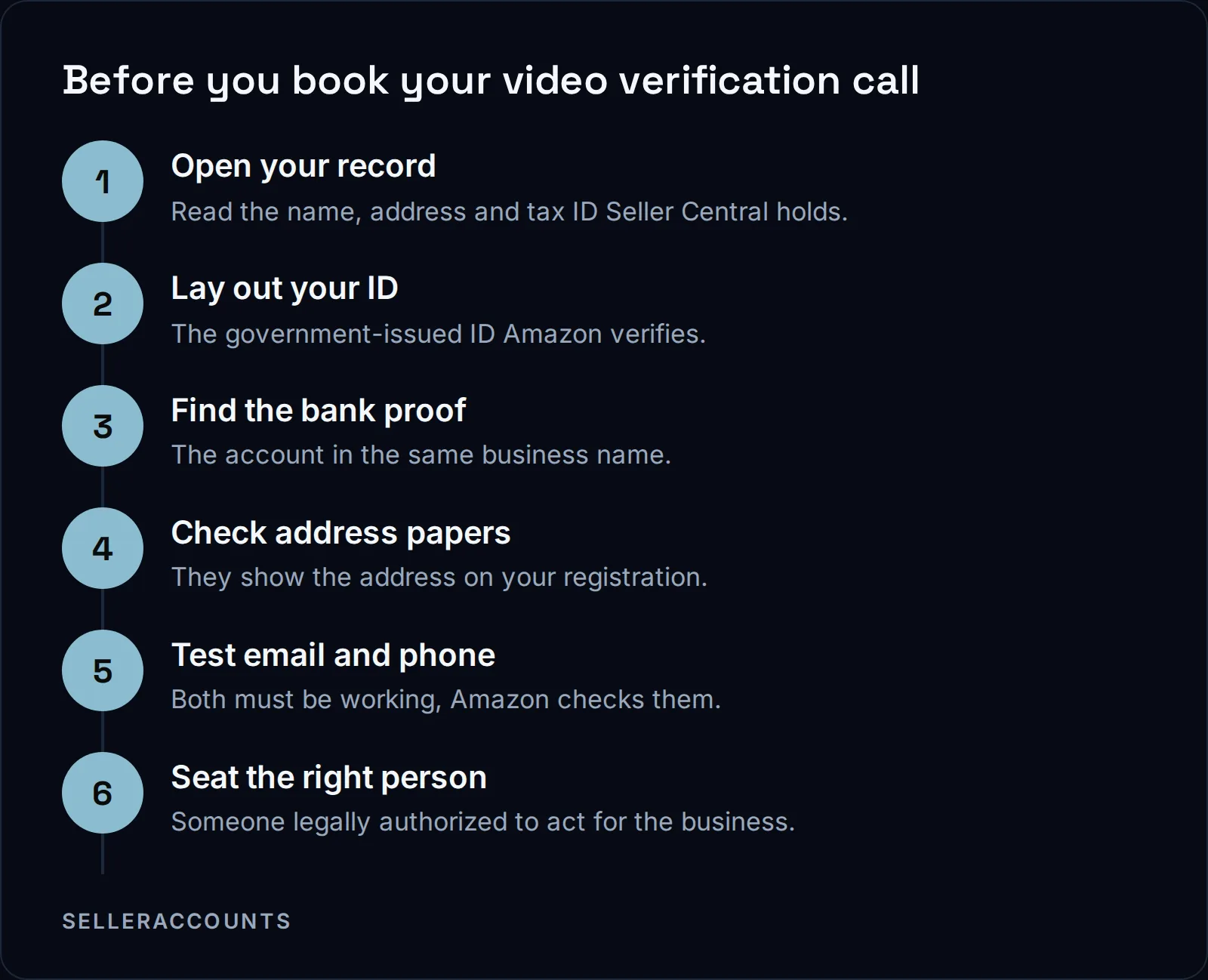
Use this table as your desk checklist. The left column is what Amazon's INFORM page says it verifies. The right column is our advice on how to be ready for it.
| What Amazon verifies | How to be ready for it |
|---|---|
| Your name | Matches the name on the ID and on the business record |
| Government-issued ID | At hand, showing the same name |
| Business address | A document showing the registered address |
| Bank account information | Proof the account is in the business's name |
| Working email address | You can open it during the call |
| Working phone number | The phone is with you and on |
| Tax identification number | The tax ID you registered, written down |
Small differences are where people get stuck: an old address, a shortened company name, a bank account in a personal name.
For the full list of documents Amazon asks for at registration, read our verification documents checklist.
Who Has to Be on the Call?
The person on the call should be someone the information belongs to: the seller, or an individual legally authorized to act on the seller's behalf. That is the line Amazon's INFORM page draws for every piece of information it verifies. A friend, a virtual assistant or an agency who is neither is the wrong person to put on camera.
If anyone else needs to sit in, check the verification instructions in your Seller Central account before the call rather than guessing on the day.
On a purchase from us, your company's details go into our transfer form, with your entity, photo ID and a bank statement, and the bank and card you give us must never have been used on Amazon. The point of contact is named from your side. We then line up the call with that person.
What If Your Video Verification Fails?
Amazon's INFORM page says that if it cannot verify your information, it will contact you to ask for more so it can finish. If verification or the yearly certification is never completed, the account can be deactivated. Reactivation runs through the "Reactivate your account" link at the top of the Account health page in Seller Central.
The Account health page is the Seller Central screen that shows whether your account is in good standing. Here are Amazon's two lines on what follows, word for word:
"If we are not able to verify your information, then we will also contact you to provide more information so that we can complete verification."
"Your account will be reinstated in 48-72 hours after you have completed both verification and certification as required by the INFORM Consumer Act."
48 to 72 hours
to reinstatement once verification and certification are done, per Amazon
7
items Amazon says it must verify under the INFORM Act
1 in 2
roughly how many of our Amazon transfers get an extra verification request
If something goes wrong with the call itself, watch the email address on your account and the verification screen in Seller Central, and follow the INFORM page and the deactivation email if one arrives. We do not offer reinstatement as a service, so we do not promise an outcome on an account you already run.
How the Call Fits Into an Aged Account Transfer
On every Amazon transfer, the video verification call is one of the steps we run by hand. The INFORM Act means Amazon re-checks the ID, business address, bank, email, phone, tax ID and point of contact when ownership changes. We are not hiding the change from Amazon. Passing that verification is the transfer.
So we coordinate the live video call with your designated point of contact and submit any documents Amazon asks for, with a status update to you every business day.
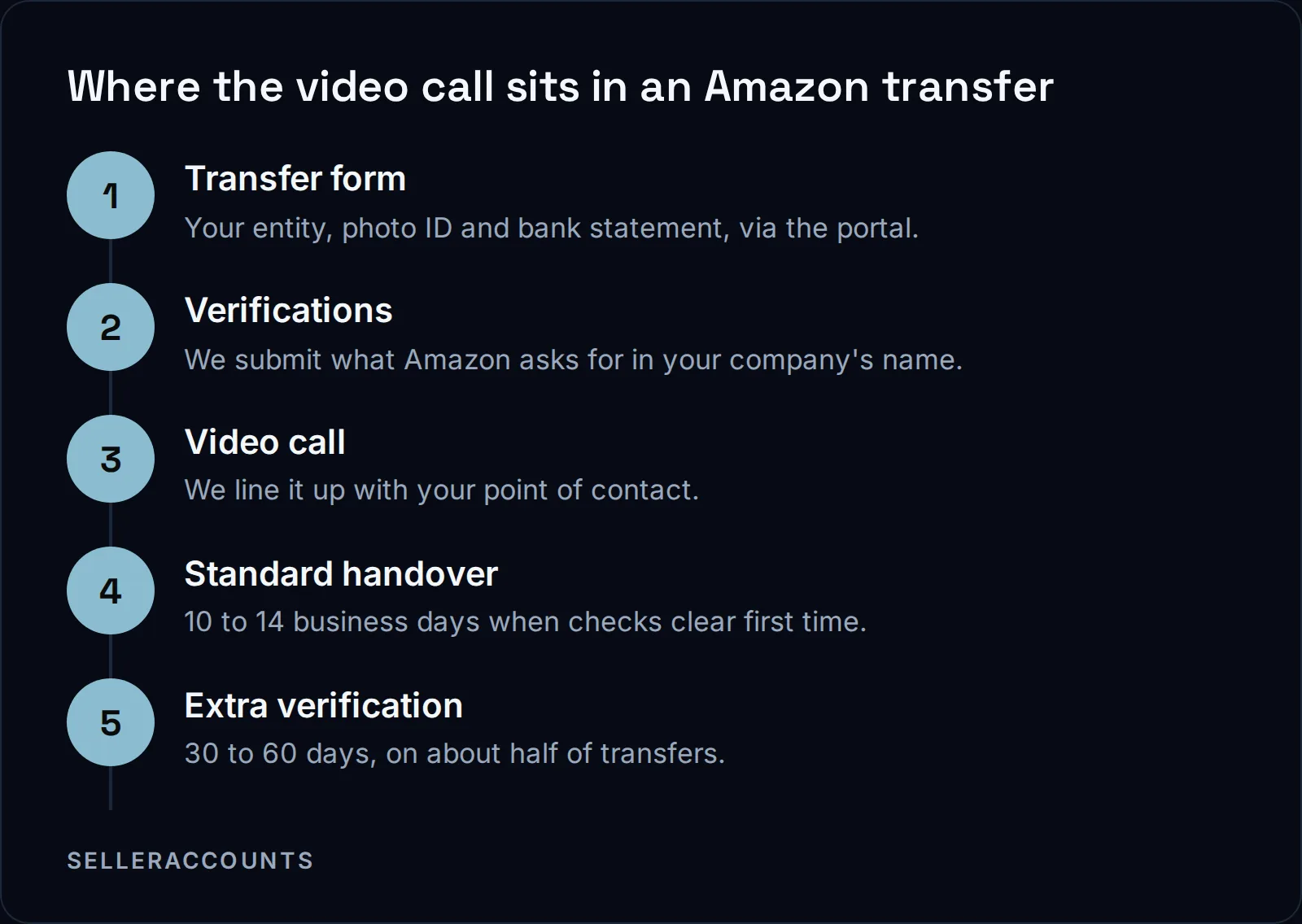
From our transfers, any Amazon check that has to be redone adds anywhere from 3 days to 4 weeks. That is why preparation before the call matters more than anything said on it. One thing you control: if your company's EIN is not in Amazon's system yet, that alone adds 3 weeks to a month, so a company formed at least 30 days before the purchase helps.
| Verifying a new account yourself | Taking over an aged account from us | |
|---|---|---|
| Who lines up the video call | You | We coordinate it with your point of contact |
| Progress updates | Your own Seller Central screen | Every business day |
| If Amazon asks for a re-submission | Yours to handle | Handled by us during the transfer, and in the support window after it |
| Brand approvals once you pass | None until you apply | Three named in the Deal Agreement, plus what the account already holds |
The Deal Agreement is the contract you sign with us before any money moves. The support window ends 30 days after delivery or at your first sale, whichever comes first, and it covers verification re-submissions.
What you get for passing the call is an account that already holds what a new one waits years for. An aged account often already holds brand approvals of its own, the ones its record shows, live before you buy. The full path from first call to delivery is on how buying works, and the accounts are on our aged Amazon accounts for sale page. If you want to sell an account instead, that is our sister brand, Cash For Stores (cashforstores.com).
FAQ
What documents should I bring to the Amazon video call?
Bring the documents behind the seven items Amazon verifies: your government ID, proof of the business address and proof of the bank account, all in the same business name. Your Seller Central verification screen shows what Amazon asks for in your case.
Is the Amazon video verification appointment different on an aged account?
The difference we see is in who does the work and how long it takes. On a transfer from us, the call is one of the steps we run by hand, lined up with your point of contact. About half of our Amazon transfers get an extra verification request, and those run 30 to 60 days rather than the standard 10 to 14 business days.
Will Amazon verify me again later?
Yes. Amazon's INFORM page says it must verify your information anytime it changes, and asks high-volume sellers to certify it at least annually.
What happens if my Amazon video verification failed?
Check the email on your account first, because Amazon says it will contact you for more information so it can complete verification. Once verification and certification are both done, Amazon puts reinstatement at 48 to 72 hours. We do not offer reinstatement as a service.
Related pages
Ready to Grow Your Amazon Business?
Book a free demo call and we'll screen-share real accounts live to find the right match for your business. No screenshots, no guesswork.
Book Your Demo