

The Short Answer
Amazon wants a statement that matches the name registered in Seller Central, was issued within the past 90 days, shows the bank logo, the account holder's name and the account number, comes from a traditional bank, and has all details visible with no low-quality scan. Any one of these can get the statement sent back at seller verification, on a new account or on an aged one you take over. On an aged account you buy from us, every Amazon interaction is ours to handle, and you get a status update from us every business day.
What Must an Amazon Bank Statement Show?
Here is the passage, word for word, from Amazon's Seller Wallet verification requirements:
"If you’re asked to verify your bank account, upload a recent bank statement that matches your registered business or individual name in Seller Central. The statement must have been issued within the past 90 days; clearly display the bank logo, the account holder’s name, and the account number; and come from a traditional bank. Provide this information on the Deposit Methods page when you add a new bank account. Make sure that all details are visible and avoid using low-quality scans."
The Deposit Methods page is the screen in Seller Central where you add the bank account Amazon pays into. That is where the statement goes.
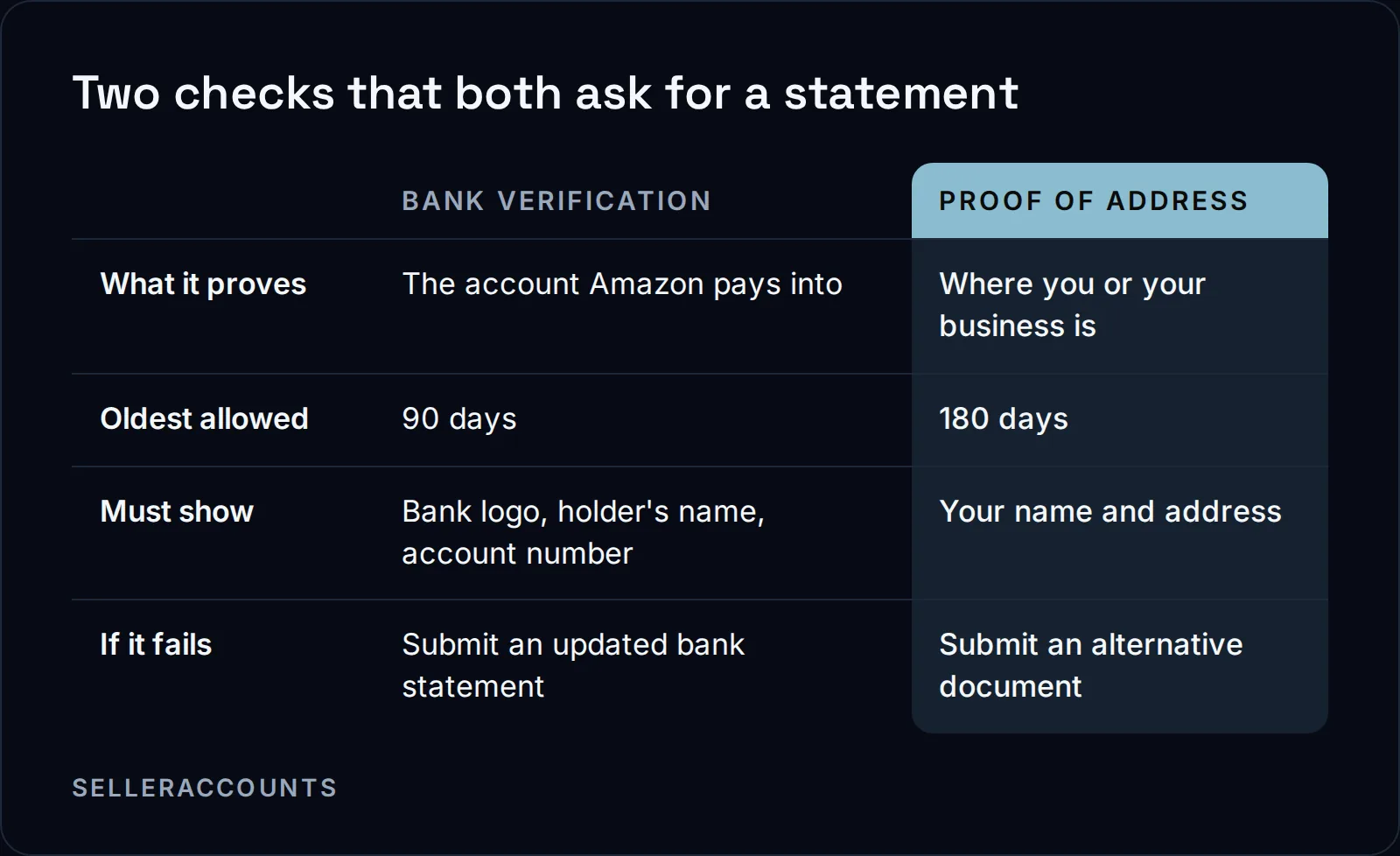
90 days
the oldest a bank statement can be for bank verification
180 days
the oldest a proof of address document can be
Use this as a checklist before you upload again.
| Check | What Amazon's page asks for |
|---|---|
| Name | Matches your registered business or individual name in Seller Central |
| Date | Issued within the past 90 days |
| Bank logo | Clearly displayed |
| Account holder's name | Clearly displayed |
| Account number | Clearly displayed |
| Issuer | A traditional bank |
| Quality | All details visible, no low-quality scans |
Why Does Amazon Keep Declining My Documents?
Amazon's pages ask that the bank statement match your registered name and that a proof of address match your Seller Central information. When the name, address or bank details on paper differ from what Seller Central holds, Amazon asks for an updated document that matches.
Amazon puts the bank side in one line on the same page: "If your bank details don’t match your Seller Central profile, correct them by submitting an updated bank statement."
The address side has its own rule. If the address on your document does not match the address in Seller Central, Amazon's page says you must submit an updated proof of address that exactly matches your registered details. If the primary proof is outdated, invalid or not accepted, it says to submit an alternative document that meets the requirements.
Two more causes from Amazon's pages:
- The wrong clock. A proof of address can be up to 180 days old. A bank statement for bank verification can be only 90. A statement that passed as proof of address can still fail as bank proof.
- Whose name it is in. Amazon's INFORM Act page says your information, bank account included, must be in the business name of the seller or of an individual legally authorized to act on the seller's behalf.
What Amazon's page does not cover: how it handles trading names, abbreviations, married names or a parent company's name on the statement. It says only that the statement must match the registered name. If yours differs for one of those reasons, read the Seller Wallet verification page in Seller Central for your case, or update the name on the bank account or in Seller Central so the two match exactly before you upload.
What If Your Bank Is Not a Traditional Bank?
If your account sits with an online bank or a fintech, Amazon's Seller Wallet page does not say whether it counts. The page asks for a statement from a traditional bank and lists no online banks, fintechs or payment providers it accepts as one. The safe upload is a statement from a traditional bank, in your registered name.
Amazon's Global seller identity, address, and business verification page has a wider list under its document requirements for professional sellers. That list includes a credit card statement, an account statement from an e-commerce payment service provider, a credit union statement and a utility bill. None of that changes what the bank verification asks for.
Why Does a Screenshot or a Re-Saved PDF Fail?
Amazon's Seller Wallet page does not name screenshots or re-saved PDFs. It asks that all details be visible and that you avoid low-quality scans, and a cropped screenshot or a re-saved copy can cut off the logo, the name or the account number. eBay's page goes further: it does not accept screenshots and requires the original document.
So upload the statement as your bank issued it, the whole document, not a picture of it and not a copy you have changed. Amazon's Seller Wallet verification page says nothing more on file formats, so check it there if your bank only gives you something else.
How to Resubmit Without Another Rejection
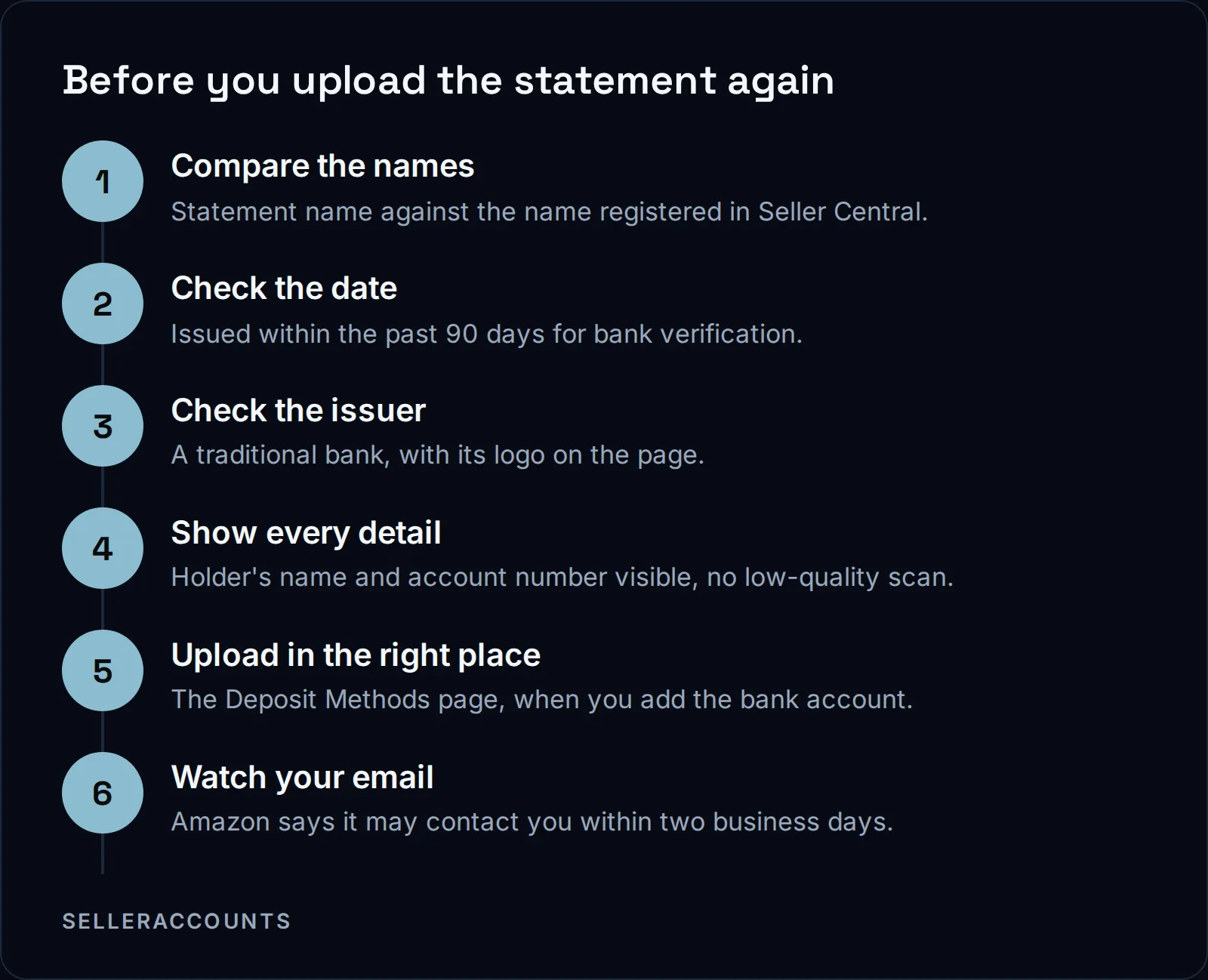
Amazon's Seller Identity Verification page says that after you submit, it reviews your information and may contact you within two business days if it needs clarification, and keeps you informed by email. Its INFORM Act page adds that if Amazon cannot verify your information, it will contact you for more. Amazon's pages do not explain how it words a rejection or which field caused it, so the checklist above is the fastest way to find the problem yourself.
What Happens to the Bank Statement When You Buy an Aged Account?
It goes through the same Amazon check, in your company's name. On our transfer form you give us a photo ID, a bank statement and bank details that have never been used on Amazon. We submit the documents, handle every Amazon interaction and swap the old owner's bank account for yours during the transfer.
The bank check matters to us because of time. From our transfers, any Amazon check that has to be redone, the bank included, adds anywhere from 3 days to 4 weeks. Standard handover is 10 to 14 business days when Amazon's checks clear the first time. About half of Amazon transfers get an extra verification request, and those run 30 to 60 days. A statement that fails once can push a transfer onto the longer path.
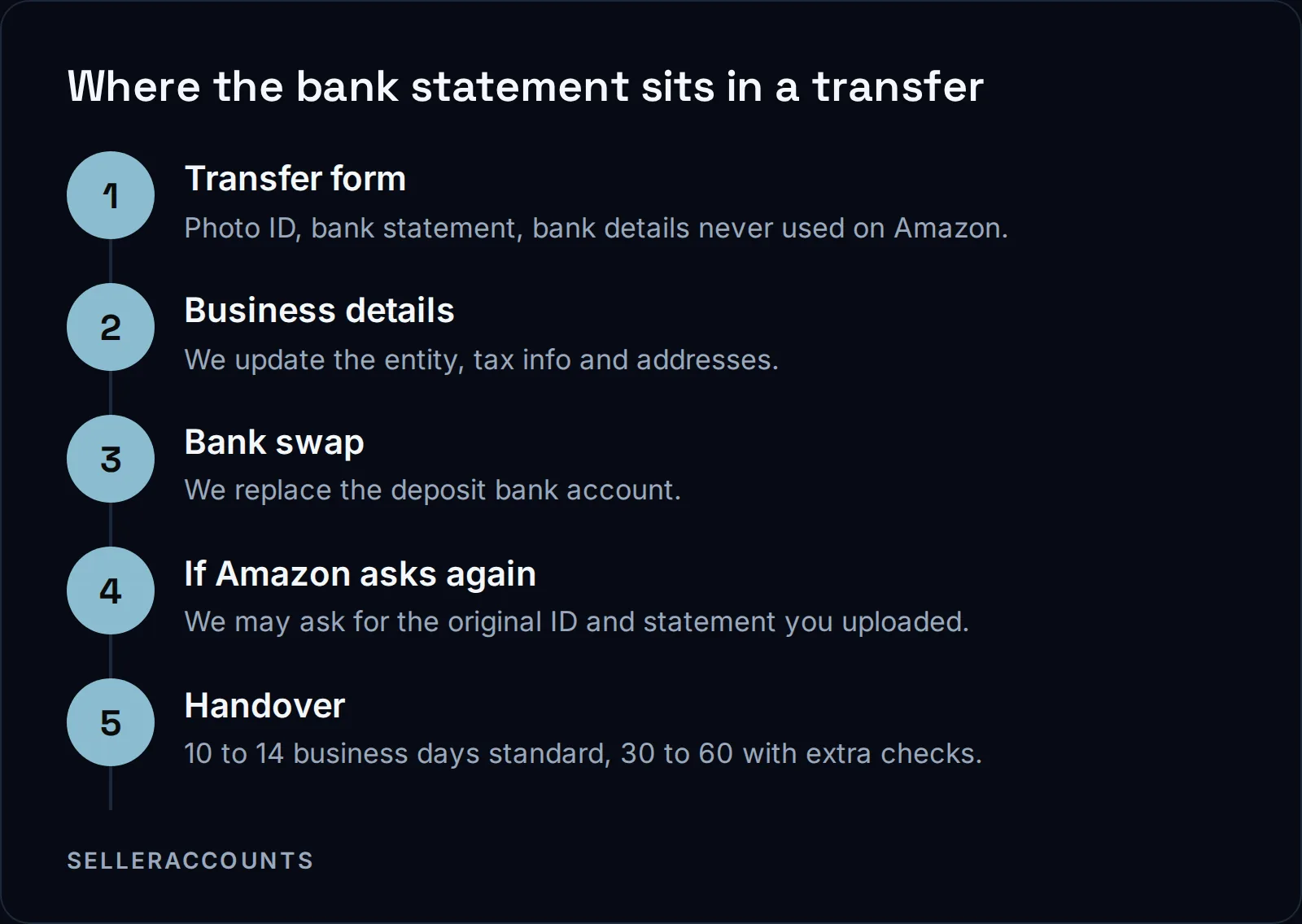
If your bank statement is not ready when you fill in the form, send the form anyway with something else in its place and send the missing one after. That keeps the rest of the transfer moving.
What you get for passing this check is an account that already holds what a new one waits for. Every account we sell comes with three brand approvals, apply to sell only, each named in the Deal Agreement, and an aged account often already carries dozens of brand approvals from its history, shown live before you buy. The steps from first call to delivery are on how buying works, and the accounts themselves are on our aged Amazon accounts for sale page.
| Opening a new account | Buying an aged account from us | |
|---|---|---|
| Who submits the bank statement | You | We do, from your transfer form |
| Who answers Amazon if it asks again | You | We handle every Amazon interaction |
| Brand approvals in the deal | None until you apply | Three named in the Deal Agreement, plus what the account already holds |
FAQ
My company is too new to have a bank statement. What can I send?
Amazon's Seller Wallet page names no substitute for the bank statement. On a new account, that means waiting until your bank issues its first statement in your registered name, then uploading it on the Deposit Methods page.
Will Amazon accept a credit card statement instead of a bank statement?
Not for the bank check itself, which asks for a bank statement from a traditional bank, even though Amazon's global verification page lists a card statement among its other documents.
Does Amazon accept a screenshot of a bank statement?
Amazon's Seller Wallet page does not mention screenshots. It says: "Make sure that all details are visible and avoid using low-quality scans." eBay is explicit: its Registering as a seller page says it does not accept screenshots of the bank statement and requires the original document.
Will Amazon check my bank account again later?
Yes. Amazon's INFORM Act page says it must verify your information, bank account included, anytime your information changes, and at least annually to certify that your information is current.
Related pages
Ready to Grow Your Amazon Business?
Book a free demo call and we'll screen-share real accounts live to find the right match for your business. No screenshots, no guesswork.
Book Your Demo