
The Short Answer
Amazon's help pages say no: you cannot transfer a seller account, and if ownership changes, the new owner must establish a new seller account. That rule still stands after a sale, and the risk of it stays with you as the buyer; what happens in practice is that the account's legal entity, tax ID, bank, email, phone and point of contact are changed to yours, and Amazon re-verifies every one of them.
What Amazon's Own Pages Say
Two Amazon pages cover this, and they agree. The account transfer help page opens with "Seller accounts generally are not transferable." and then says:
"If the ownership of a business changes for any reason, the new owner must establish a new seller account."
The account permissions page says the same thing without the word "generally":
"Although you can add users to your Professional seller account as secondary users, you can't transfer the account. If the business ownership changes, the new owner should establish a new seller account in their name."
Amazon's transfer help page does not say what "generally" leaves room for, and it describes no transfer option inside Seller Central. The Business Solutions Agreement treats the agreement itself the same way:
"You may not assign this Agreement, by operation of law or otherwise, without our prior written consent."
The one carve-out in that clause covers moving the agreement to your own affiliate company, not a sale to an outside buyer, and you stay liable for anything that happened before the move. Read the Amazon transfer help page yourself before relying on anything else written about this.
What If You Buy the Company That Owns the Account?
No: buying the company that owns the account does not get around Amazon's rule, because its help page says that when ownership of a business changes for any reason, the new owner must establish a new seller account. The Business Solutions Agreement lets you assign it to your own affiliate on notice; anything else needs Amazon's prior written consent.
How you structure a purchase is a question for your own lawyer, and it does not change what Amazon's pages say.
How the Ownership Transfer Actually Runs
The ownership change is not one action. It is a set of details coming off the previous owner's record and going back on in the new owner's name.
On an account we hand over, the full list looks like this:
| Detail on the account | Before the transfer | After the transfer |
|---|---|---|
| Legal entity and tax ID | The previous owner's company | Your own operating company |
| Bank account and payment card | The previous owner's | Yours, never used on Amazon before |
| Login email | The previous owner's | A separate address we set up for the account, handed to you with the password once the transfer is complete |
| Two-factor authentication | On the previous owner's device | Reset during the transfer, moved onto your own authenticator app at delivery |
| Phone number | The previous owner's | One never used on Amazon before |
| Business and return addresses | The previous owner's | Yours |
| Point of contact (the person Amazon deals with on the account) | The previous owner | You |
That is the whole change. What takes the time is Amazon checking it.
Why Does Amazon Re-Verify You After a Purchase?
In our transfers, Amazon re-verifies a bought account under the INFORM Consumers Act, a federal law that makes marketplaces verify who is behind a high-volume seller account. The law defines that seller by a sales and revenue threshold, not by how long the account has existed, and it applies whether you bought the account or built it yourself.
Under the INFORM Consumers Act, a high-volume third party seller is one with 200 or more discrete sales of new or unused consumer products and $5,000 or more in gross revenues, in any continuous 12-month period during the previous 24 months.
Once a seller crosses that line, the marketplace has to collect and verify bank, contact and tax information, and suspend future sales activity if it never arrives. On our transfers, every one of those details is re-verified once it changes to the new owner's, which is why a bought account goes through the check again.
10 days
to collect a high-volume seller's bank, contact and tax details
10 days
to verify that information once it is collected
10 days
to answer a notice before the marketplace must suspend sales
The law's text is on the Cornell LII page for 15 U.S.C. 45f, and the FTC's plain guide is here.
How Long Does It Take?
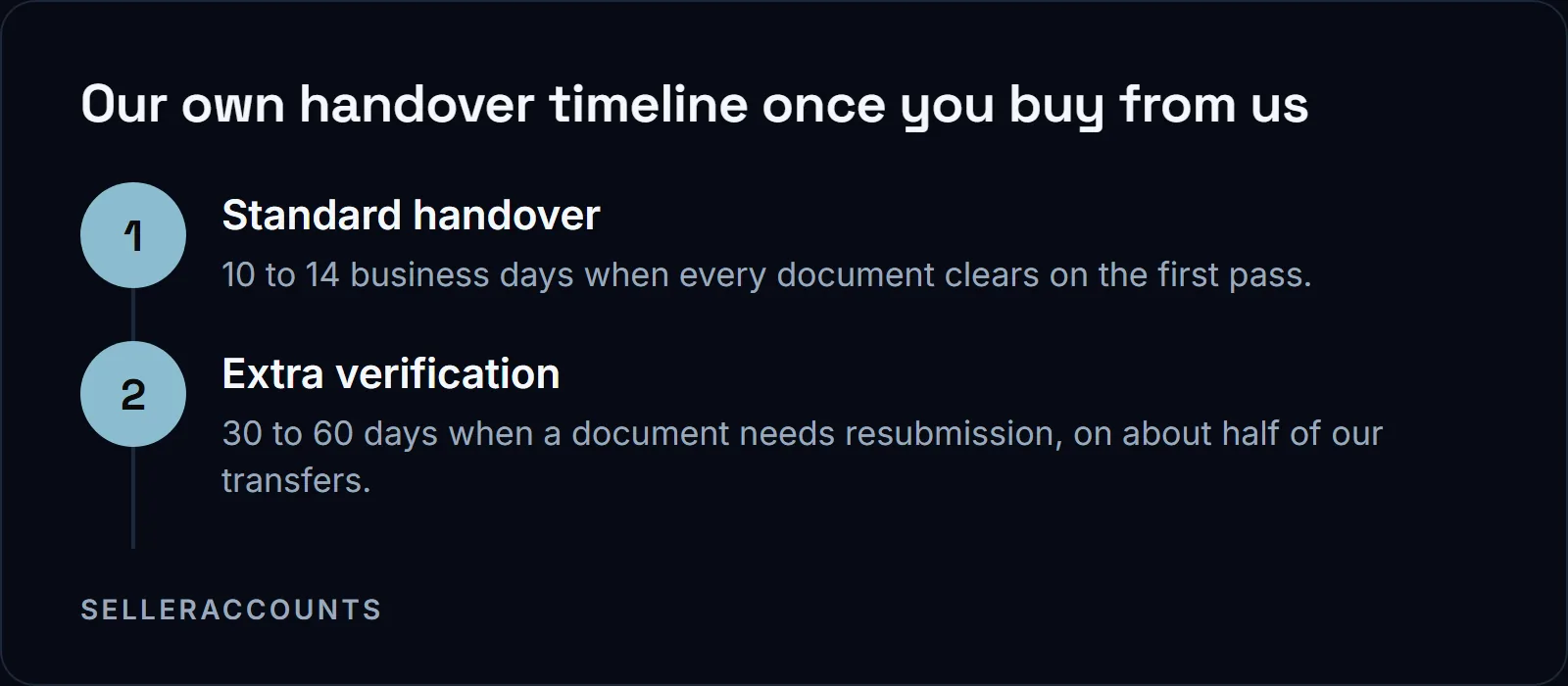
Our own standard handover on an Amazon account is 10 to 14 business days once every document clears on the first pass. About half of our transfers need a re-submission or extra waiting time on at least one of Amazon's checks, and those run 30 to 60 days instead. Neither figure is something Amazon publishes; it is what we track across our own transfers.
The one part you control is your company. In our experience, if its EIN is not in Amazon's system yet, that alone adds 3 weeks to a month, so a company formed at least 30 days before the purchase saves time.
What Comes With an Account You Buy From Us
We have sold 1,700+ accounts since 2020 and run that change on every one. The live demo shows what the account holds on that day: trading history, seller feedback, and the brands and categories already ungated on it. Three brand approvals (apply to sell only) come on top of that, each named in the Deal Agreement, and those named brands are the promise.
A new account applies for each gated brand from zero. An aged account is often already ungated, for dozens of brands, shown live before you buy. Any other approval (Hazmat, Seller Fulfilled Prime, Renewed, or a specific gated brand) is named only where that account's own record carries it.
What does not come with it: the EU and UK marketplaces, which we close before handover because they are too complicated to transfer. The previous owner's company, ID, cards, addresses and subscriptions come off the record as part of the change. For what an account costs, the price page lists starting prices, and the exact figure for a specific account comes with its details on the call.
Once the account is yours, the first 30 days after transfer covers the security setup worth doing before you list anything.
What Puts a Bought Account at Risk?
Four things put a bought account at risk, and none of them is the account's age: the previous owner's details left behind, a verification nobody answers in time, a service phone number that stops working, and Amazon's own rule that an ownership change means a new account, which no handover erases.
Sellers on Amazon's own forums put the first one bluntly:
"If you fall for one of those online dudes that promise you to buy your account, please realize that your name and bank information will remain on your account and YOU will be responsible for all violations and charges."
An account still carrying someone else's company, bank details and addresses is not yours in any way that matters, and clearing them is part of the ownership change rather than something to tidy up later.
The second is a verification nobody answers in time. Only one of the three clocks above runs against the account holder, the 10 days to answer a notice before the marketplace has to suspend future sales activity. During the transfer, answering those requests is our job.
The third is the phone number. At delivery the account already has a live number on it, so you can log in on day one. That number has an expiration date, which is written in your delivery file. Replace it with a number that has never been used on any Amazon account, buyer or seller. If ours expires while it is still on the record, Amazon cannot reach you for the next verification and the account can lock.
If you are buying from a private seller rather than from us, verify their identity and that the account is in good standing before you pay anything, and agree who is running the ownership change before the money does.
What We Do on the Handover
We do the handover by hand, including the anti-linking setup, meaning the device, IP address, bank and phone details that Amazon uses to tie two accounts together are new. We handle every Amazon interaction and send a status update every business day. The walkthrough, from the live demo to the credentials file, is in how an Amazon account transfer works, step by step.
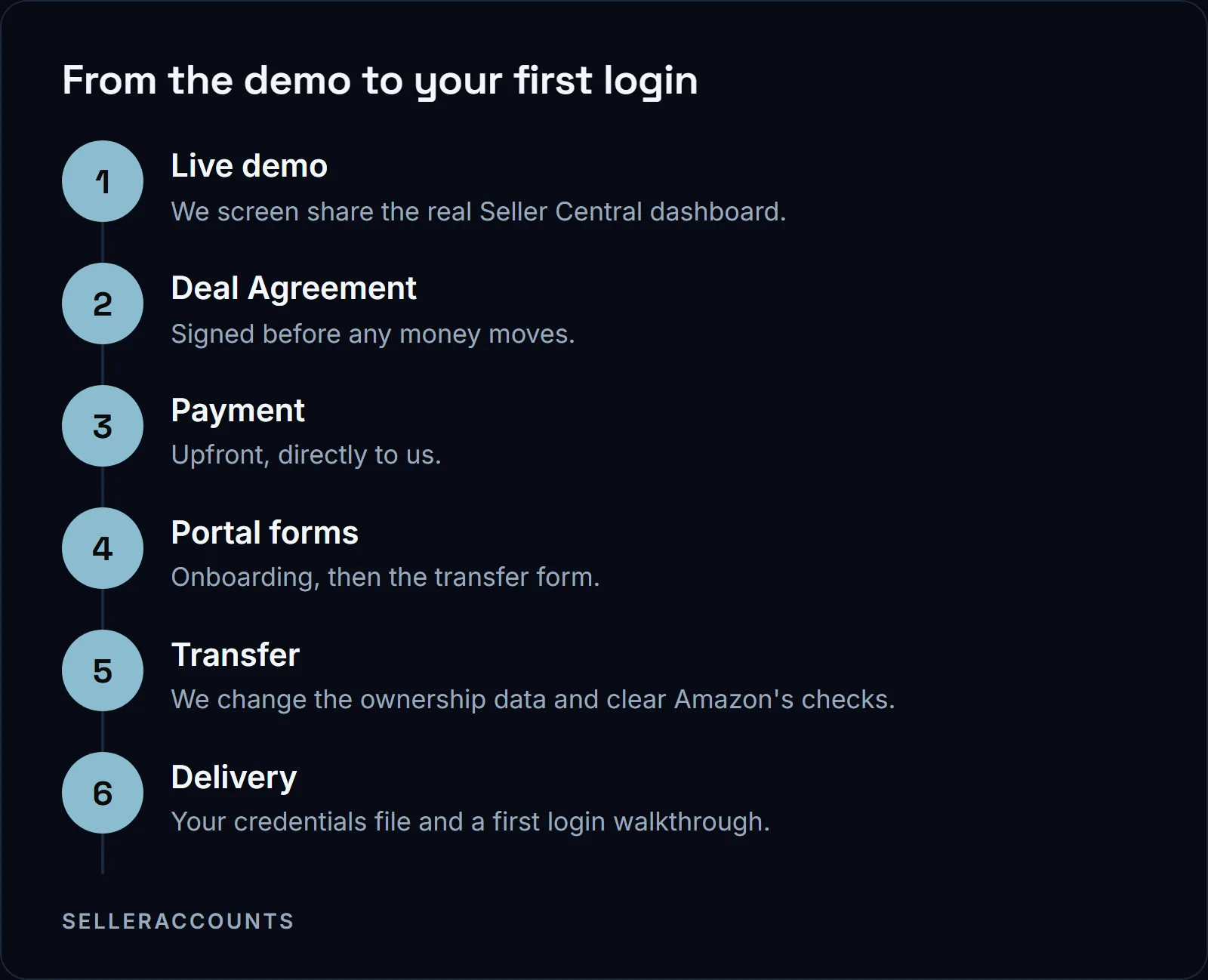
Our transfer form asks for your entity details, a photo ID and a bank statement. If one of those is not ready, send the form with the documents you do have and send the missing one after, rather than holding the whole file while a bank statement prints.
If you are on the other side of this, holding an account you want out of rather than one you just bought, that is the lane for our sister brand, Cash For Stores.
What About Walmart and eBay?
eBay puts its rule in writing: you cannot sell an eBay account or change its ownership. Walmart is a gap in our sources rather than a rule, because none of the Walmart pages we quote, including its own seller registration guide, covers an ownership change. We sell and transfer accounts on both marketplaces, on their own clocks.
| Marketplace | What its own page says about an ownership change | Our own handover clock |
|---|---|---|
| Amazon | The new owner must establish a new seller account | 10 to 14 business days standard, 30 to 60 days with extra verification |
| Walmart | Not covered by any Walmart page we quote here | 2 to 4 weeks standard, 4 to 8 weeks in practice |
| eBay | You cannot sell an account or change its ownership, and attempting it risks restrictions, suspension or removal | 2 to 3 weeks standard, 3 to 5 weeks in practice |
eBay's own words, from its help page:
"In the interest of protecting our buyers and sellers, and maintaining a safe marketplace, you can't sell your eBay account or change its ownership."
We run our own eBay handovers, and what we do not do is tell you eBay approves of it. Read can you transfer an eBay account to a new owner and decide with eBay's wording in front of you.
Before You Pay
On an account bought from us the mutual Deal Agreement is the check: it locks the account, the price, the payment terms, the timeline, every brand we promised, the support window and the replacement and refund terms, and it is signed before any money moves. Payment then goes upfront, directly to us.
See what an aged Amazon seller account with this already handled looks like, or check how buying works end to end.
FAQ
Can I start selling on the account while the transfer is still running?
No. If you already sell on Amazon, mixing your own device, IP address, browser profile or payment details with this account before the transfer completes can link the two accounts, which is the exact thing the anti-linking setup is there to avoid. Wait for the credentials file and the portal walkthrough, then start.
Do brand approvals and feedback carry over when the account changes hands?
Trading history and feedback stay on the account, but the open-brand list is a snapshot: Amazon and brand owners change their rules, so a brand open when we checked can close later, and you should check it on the account before you list. The brands written into your Deal Agreement are the promise. If one of those is still gated at delivery, we keep working on it, with its own 30 day clock from delivery: a replacement account, then a refund, if it is not open by day 30.
Do I need my own company before the transfer starts?
Yes, the account goes into your own operating company. If you do not have one yet, onboarding asks whether you will form it yourself or want us to open it for you, and if we open it, a company formation step in the portal collects the LLC details, three company name options and the state of registration. The card and bank details that go on the account have to be ones never used on Amazon before.
Does Amazon know the account changed hands?
Yes. We are not hiding the change from Amazon: passing its verification of the new owner's ID, address, bank, email, phone, tax ID and point of contact is the transfer process. Full handover happens only once those checks are through.
Related pages
Ready to Grow Your Amazon Business?
Book a free demo call and we'll screen-share real accounts live to find the right match for your business. No screenshots, no guesswork.
Book Your Demo